Short answer: In our test, Fireflies’ Free plan gave us 3 free meetings with auto-join turned off, and it locks downloads, so it’s fine for trying the tool but not for keeping files. Choose Pro ($18/seat/mo, or $10/seat/mo billed yearly) once you need to download transcripts or recordings. Business ($29/seat/mo, or $19/seat/mo billed yearly) is for teams that need unlimited storage, 3-hour recordings or private channels.
Tested on the Free plan. We did not test any paid plan, so the Pro and Business choices follow Fireflies’ official feature list (Last checked: 2026-11).
Fireflies plans and prices
Fireflies charges per seat (every teammate you add to your workspace counts as one paid seat). Sharing a single meeting’s recap link with someone outside your team is free, per the pricing page FAQ.
Last checked: 2026-11, on Fireflies’ official pricing page (fireflies.ai/pricing) and help center.
| Plan | Price | Transcription | Main limits | Best for |
|---|---|---|---|---|
| Free | $0 | 3 meetings in our test (Fireflies’ pages disagree) | 400 min of storage (per team or per seat, depending on the page); 2-hour recordings; no downloads | Trying Fireflies before you pay |
| Pro | $18/seat/mo ($10/seat/mo yearly) | Unlimited | 8,000 min of storage per seat; 2-hour recordings; downloads | One person or a small team that needs files |
| Business | $29/seat/mo ($19/seat/mo yearly) | Unlimited | Unlimited storage; 3-hour recordings; Multi-language Mode; private channels | Teams with long or multi-language meetings |
| Enterprise | $39/seat/mo, billed yearly only | Unlimited | Unlimited storage; 4-hour recordings; HIPAA with Private Storage and a signed BAA | Health data or strict security rules |
Enterprise is marked “annual only,” so a monthly price is Not listed. A yearly total for any plan is Not listed on the pricing page.
Free plan: what you actually get
What we saw in our test
In our test on 2026-11-14, we signed up with a Google account, and the settings showed “Free Plan.” At sign-up, Fireflies had “Enable unlimited free transcripts” switched on. It was set to join all meetings with a video-call link and send recaps to everyone on the invite. We switched that off and let the bot join only when we invite it.
After that, the account menu showed “3 left / 3 free meetings.” We uploaded a 4-minute-48-second English test recording instead of inviting the bot to a real meeting. Once it was processed, the menu showed “2 left / 3 free meetings” and storage “5 / 400 mins.” The screen said “free meetings,” not credits.
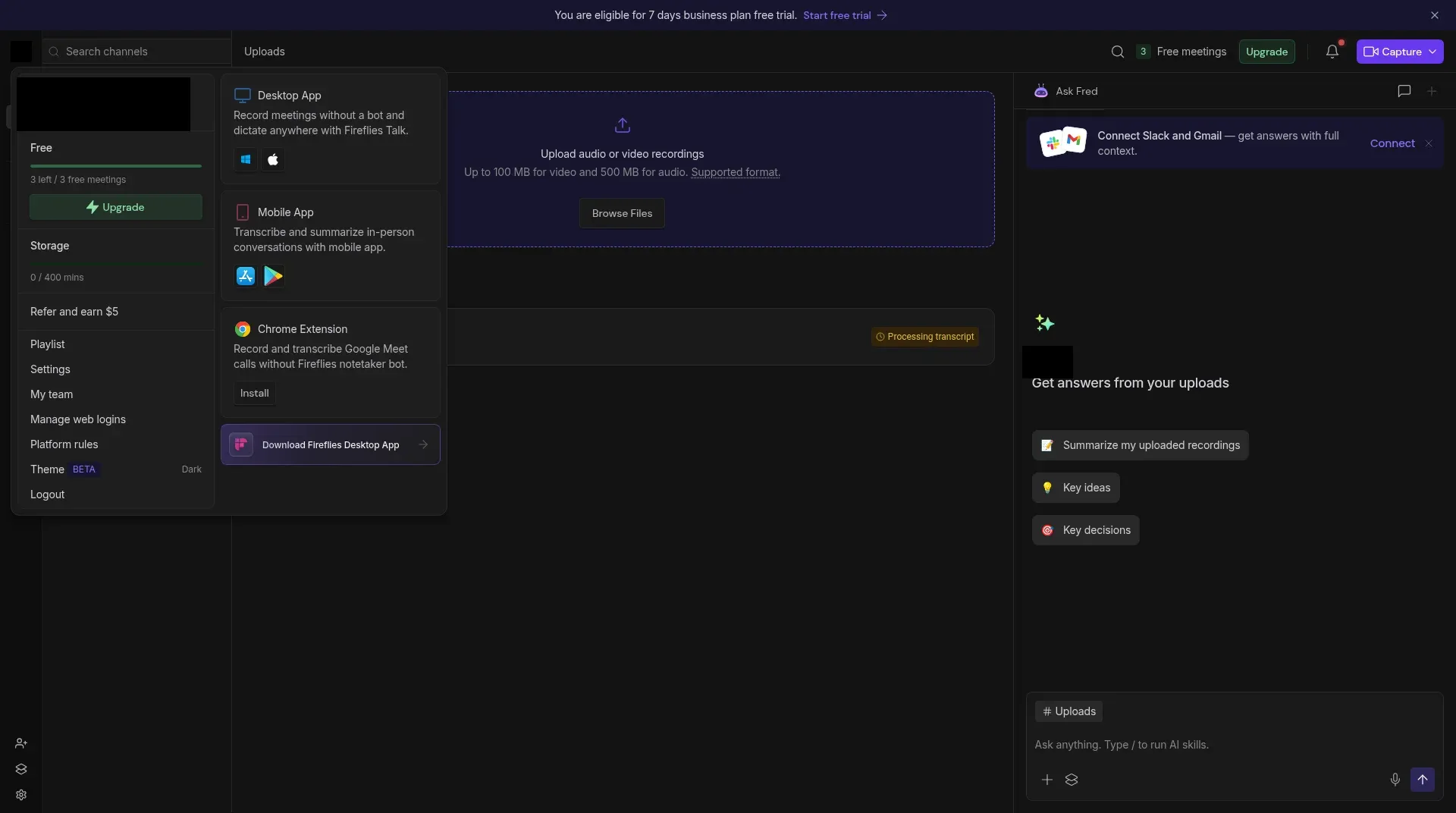
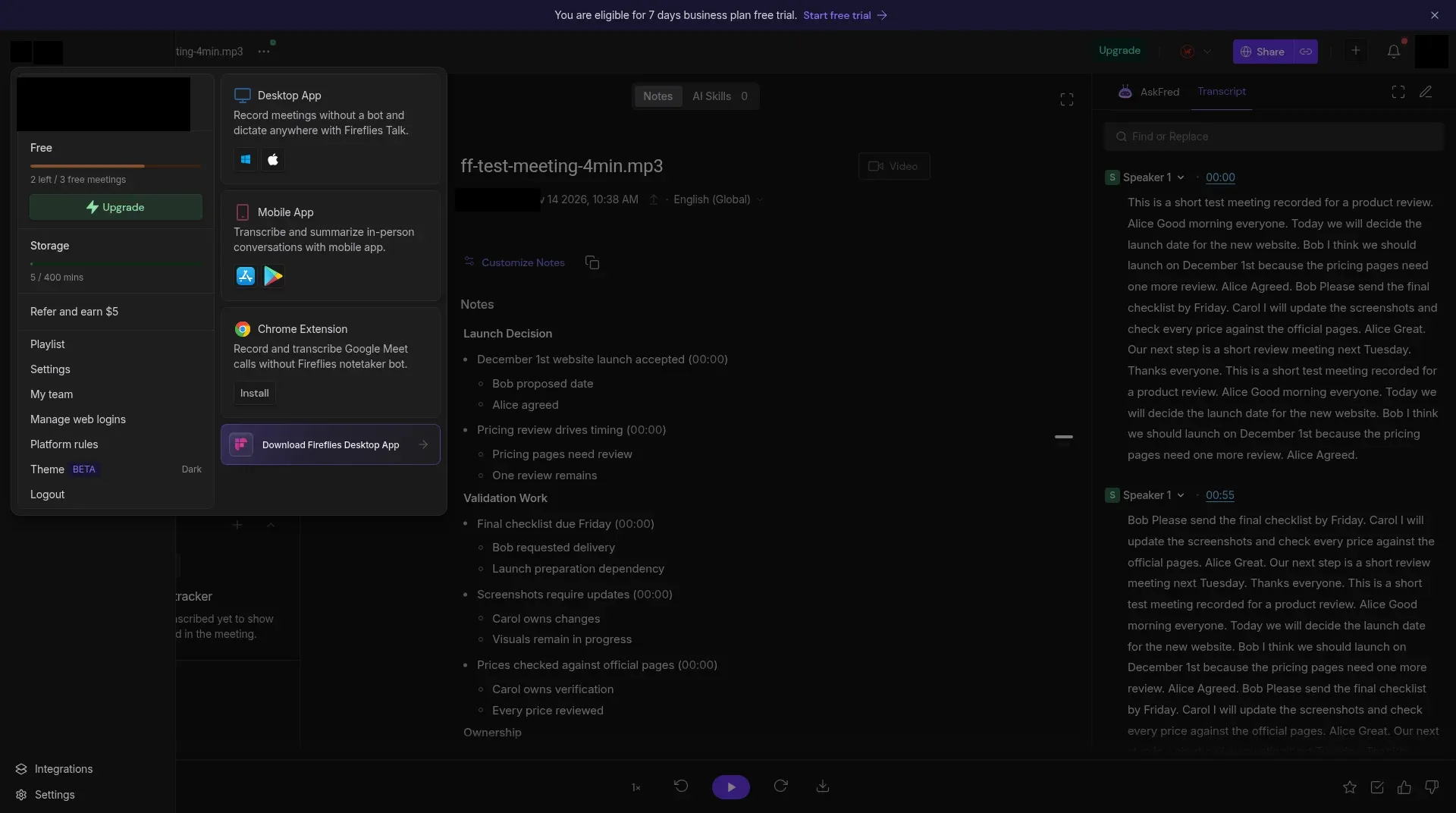
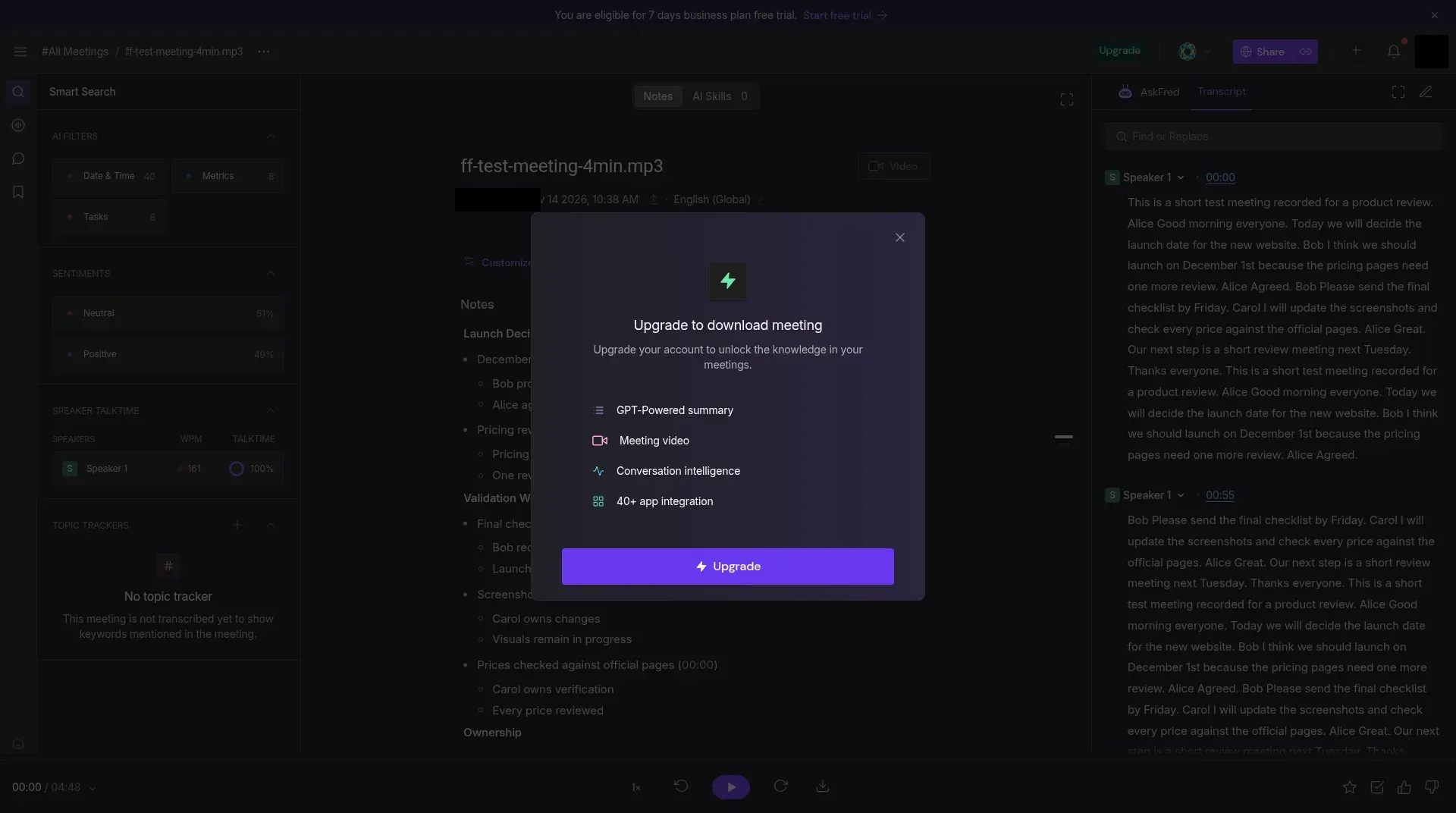
Fireflies made a transcript (the word-for-word text of the call) and a set of Notes without us asking. We never saw an AI credit balance. When we chose PDF in the Download window, an “Upgrade to download meeting” screen appeared, and we stopped there. The Integrations catalog opened with no lock icons, but we didn’t connect anything.
Fireflies’ help center says turning auto-join (letting Fireflies join your calendar meetings on its own) on is what removes the cap on transcriptions. We didn’t test that setup.
We also didn’t test the bot in a real meeting, the Chrome extension, the mobile app, running out of credits, or the checkout page. Our meeting notes guide shows the auto-join settings screen from the same test.
What Fireflies’ pages say
Fireflies’ pricing page and help center disagree on several Free limits. We list both sides instead of choosing one.
- Transcription. The pricing card says “Unlimited transcription*” with an asterisk it doesn’t explain. The pricing table on the same page says “Limited.” The help center says Free includes 3 meetings by default, 5 if you record through the Chrome extension, and 10 for new mobile app users. It says there’s no cap once auto-join is on. It says this applies to accounts created on or after September 1, 2026. One help FAQ adds a condition: you also share recaps with all invitees. In our test, with auto-join off, we got 3 free meetings, so plan on 3 unless you’re fine with auto-join and shared recaps.
- Storage. The pricing page lists “400 mins of storage/team.” Two help articles say 400 minutes per seat. Storage doesn’t reset monthly, so you delete old meetings to make room. To be safe, plan on 400 minutes shared by the whole team, the smaller of the two readings.
- AI credits (the allowance Fireflies uses to meter its extra AI features). The Free card lists “20 AI credits” with no period. One help article says 20 a month; three other pages say 20 one-time credits that don’t expire. To be safe, treat the 20 as a one-time allowance that won’t refill each month.
- AI summaries. The pricing page says “Limited AI summaries” on Free. A help article on AI credits says standard summaries don’t use credits. In our test, Free made Notes on its own and showed no credit balance.
Our comparison of Otter, Fireflies and Fathom lists every conflict we found on Fireflies’ pages.
Which plan should you choose?
These choices follow the plan table above.
Individuals. Start on Free and see whether 3 meetings tell you enough. Move to Pro at $18/seat/mo, or $10/seat/mo billed yearly, when you need to keep files. Fireflies’ help center says downloading transcripts, summaries and recordings needs Pro or higher.
Long recordings. Free and Pro list a 2-hour limit per meeting. Business lists 3 hours and Enterprise 4 hours. If you want video, check the plan first: Fireflies’ pricing table lists video capture from Pro, but one help FAQ says Business or higher.
Teams. Every teammate is a paid seat. Free and Pro get public channels (shared folders for meetings); private channels start at Business, at $29/seat/mo, or $19/seat/mo billed yearly. Business also adds Multi-language Mode for meetings held in more than one language. Sales teams should test CRM support on their own account. (A CRM is the customer database your sales team uses.) Fireflies’ pages disagree on which plan includes CRM integrations.
Fireflies.ai
Our choicePrice: Free; Pro $18/seat/mo, or $10/seat/mo billed yearly; Business $29/seat/mo, or $19/seat/mo billed yearly; Enterprise $39/seat/mo billed yearly (monthly price Not listed) · Last checked: 2026-11
Pros
- Pro ($18/seat/mo, or $10/seat/mo billed yearly) is where downloads start.
- Sharing a meeting recap link with someone outside your team is free, per the pricing page FAQ.
Cons
- In our test, the Free plan blocked our transcript download with an upgrade screen.
- Free-plan limits on transcription, storage and AI credits differ between Fireflies' pricing page and help center.
- On paid plans, running out of the included AI credits starts a $5/month AI credits subscription, per Fireflies' billing terms.
- Extra AI credits are a separate monthly or yearly charge, and Fireflies' pages disagree on whether that price is per user or per team.
- Best for
- People and small teams who want to try a meeting note taker for free, then pay per seat once they need files.
- Skip it if
- Anyone who needs clear free-plan limits; Fireflies' own pages describe them differently.
Compared with alternatives
Otter and Fathom are the two note takers we compare most often with Fireflies.
| Tool | Free plan | Cheapest paid plan |
|---|---|---|
| Fireflies | 3 meetings in our test (Fireflies’ pages disagree) | Pro $18/seat/mo ($10/seat/mo yearly) |
| Otter | 300 min/mo, 30 min per conversation | Pro $16.99/user/mo ($8.33/user/mo yearly) |
| Fathom | Unlimited recordings and transcriptions | Premium $20/user/mo ($16/user/mo yearly) |
Sources: fireflies.ai/pricing, otter.ai/pricing and fathom.ai/pricing. Last checked: 2026-11. We tested only Fireflies’ Free plan, not Otter or Fathom. Our comparison guide covers recording, languages and HIPAA for all three.
Based on the official pages, Fathom fits best if you want to stay free, since its Free plan lists unlimited recordings and transcriptions. If you’ll pay yearly as one person, Otter Pro has the lowest yearly price of the three.
Hidden costs and limits
These come from Fireflies’ pricing page and help center (Last checked: 2026-11), except where we say “In our test.”
The free trial needs a card. In our test, sign-up offered a 7-day trial with the note “Credit card required. Cancel anytime.” We chose No thanks. Fireflies’ trial guide says the trial starts on Business by default, and monthly billing is selected by default. If you don’t cancel before the 7 days end, the card is “charged automatically based on the plan you selected.” The guide says you can switch the trial to Pro first, and Pro is then what you’re billed after the trial.
AI credits: the charge most people miss. On paid plans, if your included credits run out, Fireflies’ billing terms say it “automatically subscribes you to the lowest AI credits tier ($5/month for 50 credits).” Whether you can turn off that first purchase is Not listed.
- Included credits. Fireflies’ pricing table lists 20 AI credits on Pro, 30 on Business and 50 on Enterprise, without saying how often you get them. Its billing terms and AI credits article call these one-time credits that don’t expire. The Auto-Upgrade switch (it moves you to a bigger credit plan on its own) under Settings → Billing covers later upgrades.
- Free plan. Free users who run out see a paywall, and the billing terms say “No charge occurs unless you affirmatively upgrade.”
- Extra credits. They are sold only on paid plans; the smallest pack is 50 credits a month for $5/mo, or $4/mo billed yearly. Fireflies’ pages disagree on how that is counted. Its billing FAQ says “starting at $5 per month per user,” while its billing terms say credits are “pooled at the team level.”
- No rollover, no refunds. Purchased credits don’t carry over to the next billing cycle, and AI credits can’t be refunded.
Uploads on paid plans. Each user gets 3,000 minutes of uploaded files a month, then $0.01 a minute. Free’s upload allowance is Not listed. This limit covers uploaded files, so it matters most if you record calls yourself and upload them instead of inviting the bot. In our test, that’s how we used Free: we uploaded one test recording and never invited the bot.
Yearly billing and refunds. Enterprise is annual only, and the pricing page doesn’t list a yearly total for any plan. Fireflies’ refund policy gives a full refund on an annual plan within 7 days if you’ve logged 20 meetings or fewer. It adds: “Pro-rated refunds are not available on annual plans.” (A pro-rated refund pays back only the unused part.) Its account and billing guide says the opposite: “We don’t offer refunds on subscriptions or AI credit purchases.” If you cancel, you keep paid features until the end of the current billing cycle, then drop to Free. Fireflies’ terms of service say to cancel at least 24 hours before the period ends to avoid the next charge. Start monthly if you’re unsure.
Seats. Every teammate added to your workspace is a paid seat. How many seats Free allows, and a price for extra Free seats, are Not listed.
Usage rights & data
Fireflies limits HIPAA to Enterprise. You also need Private Storage (keeping meeting data in your own storage) and a signed BAA, the contract the US health-privacy law requires. On AI training, its pricing page says it “does not use your meeting data to train AI models.” Its security page adds that its AI vendors “don’t retain it after processing,” and its privacy policy has the full wording. If your meetings include health data covered by HIPAA, budget for Enterprise at $39/seat/mo, billed yearly only; Free, Pro and Business aren’t listed for it.
Bottom line
Try Free first, and remember downloads are locked. Pay for Pro when you need files, and read the AI credit rules before you buy extra credits. Use monthly billing until you’re sure, because Fireflies’ refund pages disagree.
A clear free allowance: 300 minutes a month, with a 30-minute cap per conversation.
Its free plan lists unlimited recordings and transcriptions.
Our method is on How We Test.